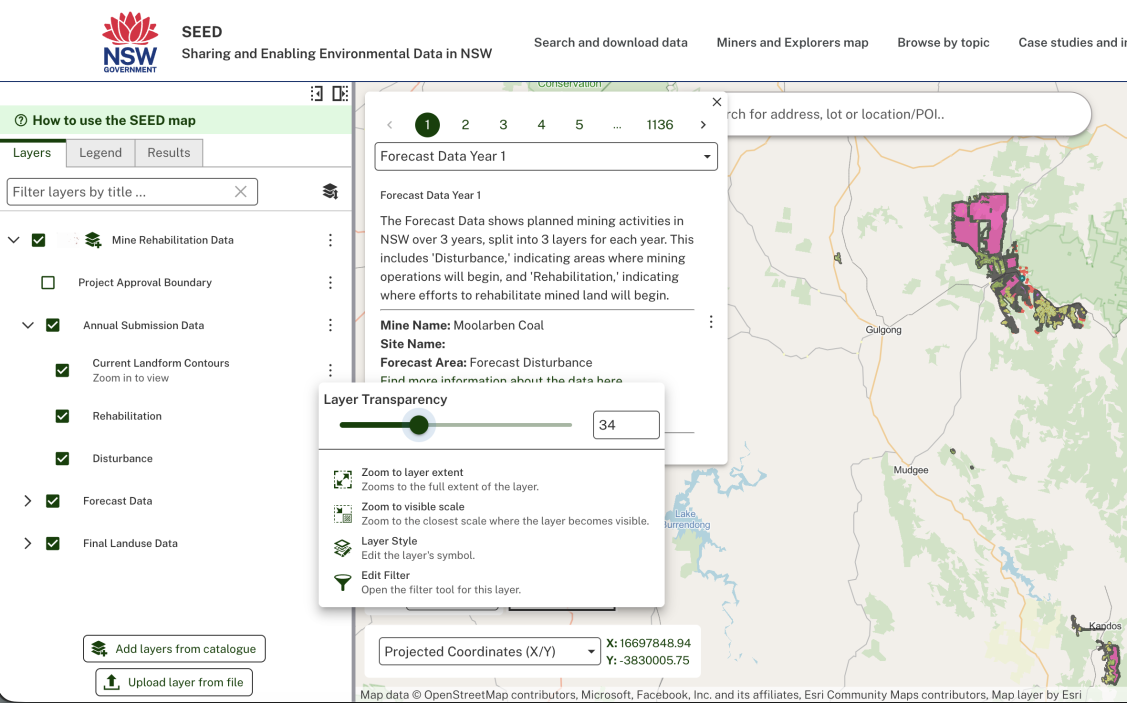
Mining rehabilitation describes how mining land is restored and used after mining ends. Learn more by watching Understanding mine rehabilitation data in SEED.
SEED’s mining rehabilitation data layers let you view and analyse rehabilitation data for mines across NSW.
How to use mining rehabilitation data layers
How to use mining rehabilitation data layers
In the SEED map:
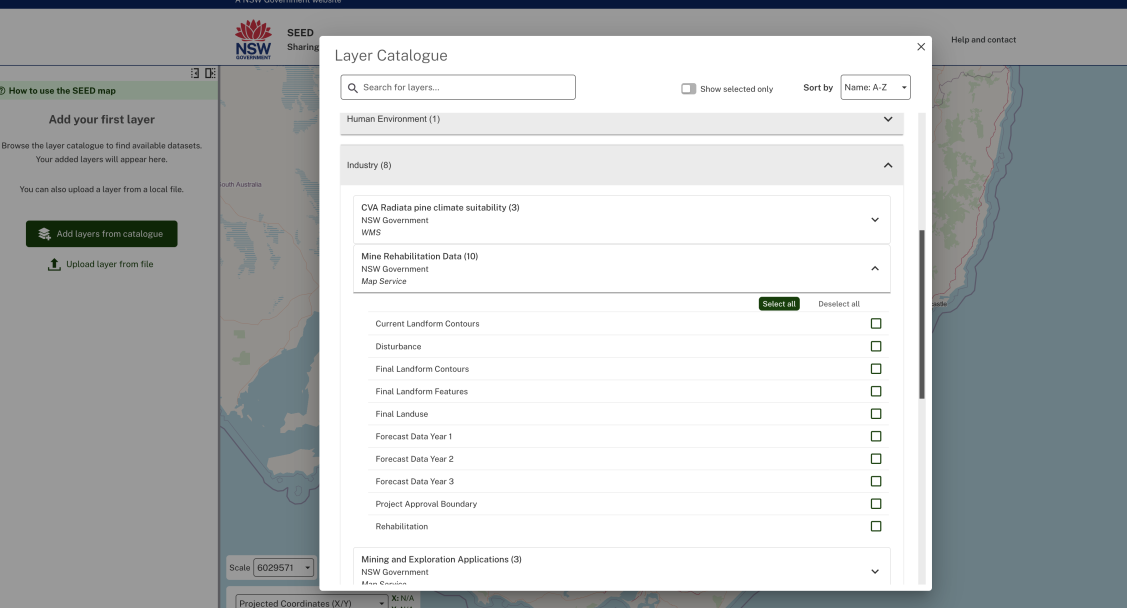
- Select ‘add layers’
- Find ‘Industry’ and ‘Mine rehabilitation data’ then
- Choose the data you want to view.
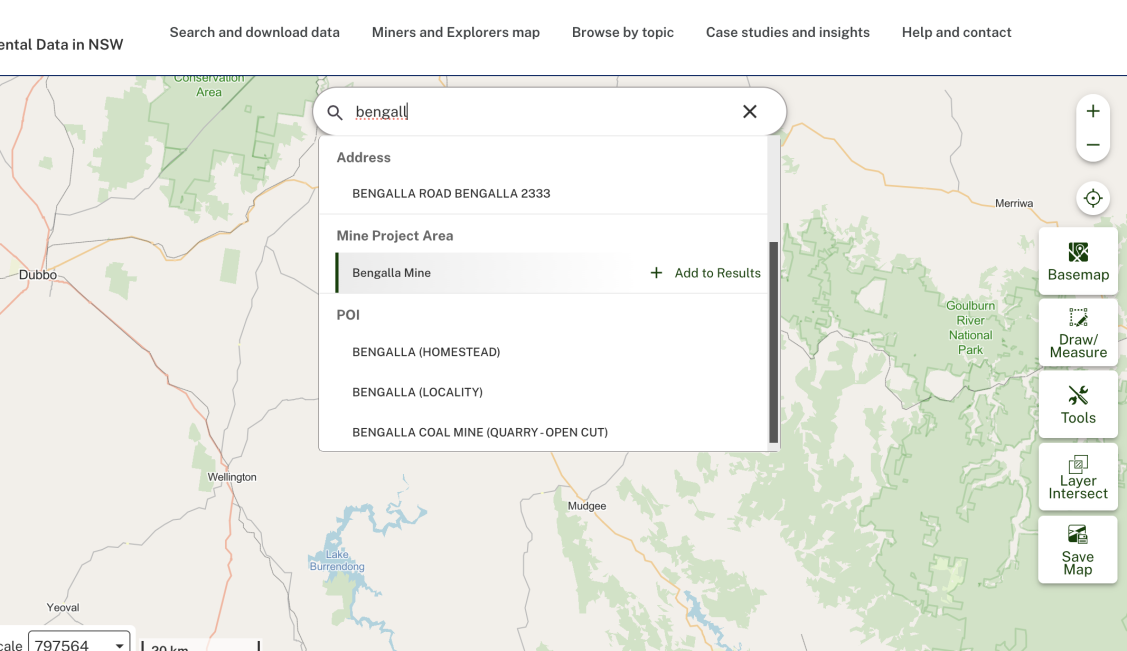
You can also use search to locate a specific mine site.
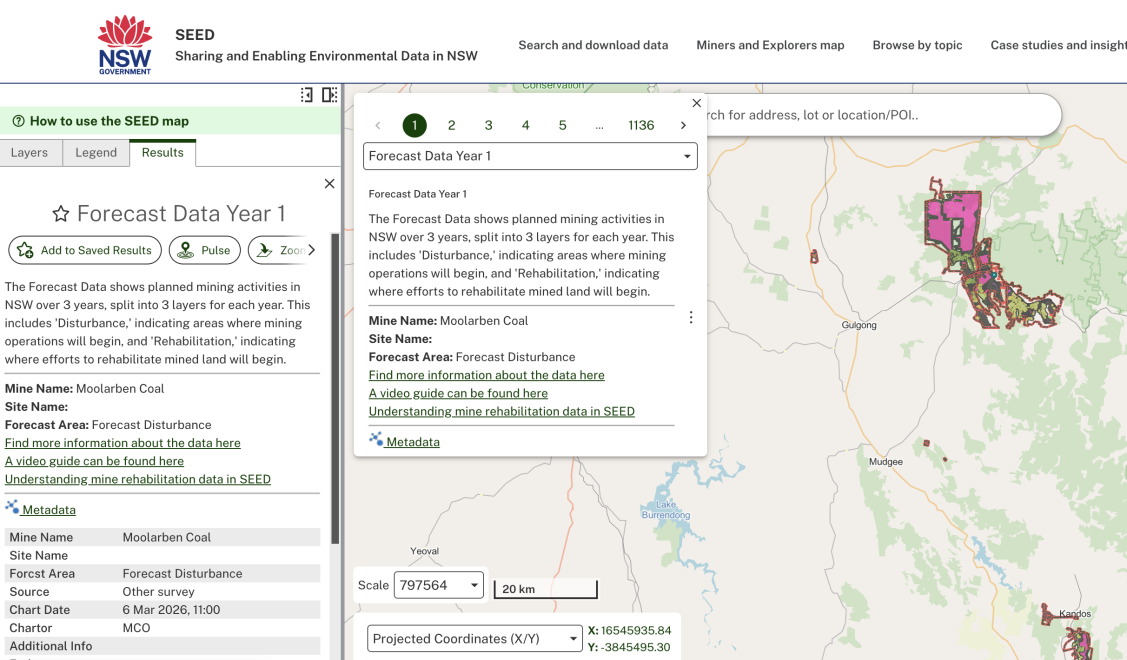
Select a specific map data point to view the tool tip. This will show summary information about the mine site including a link to metadata.
Select the popup to open the left-hand side bar with more information and options to save, export, remove layer and more.
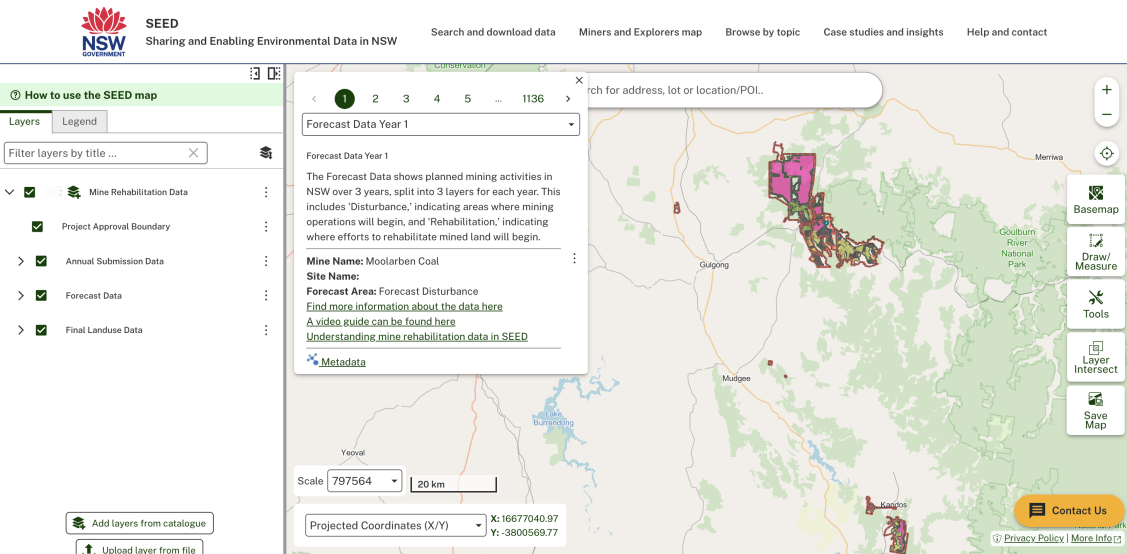
Select ‘Find more information’ to open a new page with more information about the data layer.
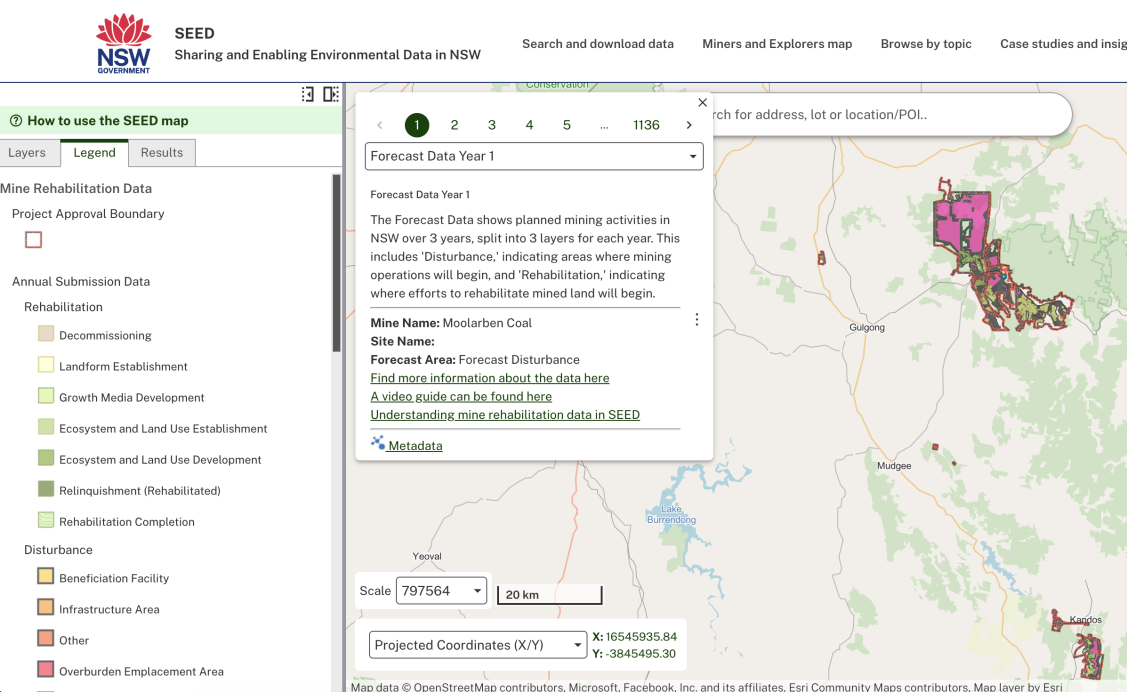
Select the ‘legend’ tab to view the map data key.
Select the layers tab to toggle on or off layers and/or adjust layer transparency.